

Flatten a PDF — Free & Private
Flatten interactive form fields so their content is baked permanently into the page and can no longer be edited, right in your browser. Your file is never uploaded. No accounts, no limits.
📑 Flatten a PDF now →How to flatten a PDF for free
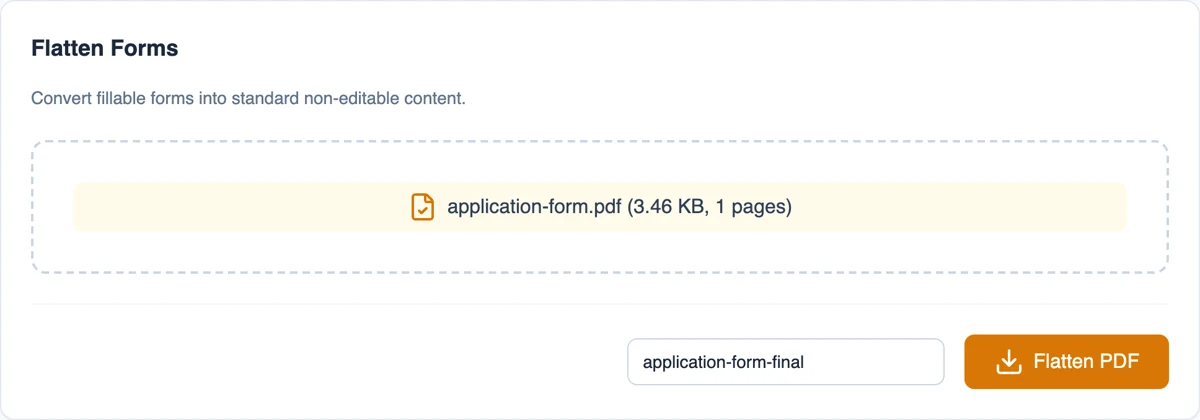
- Open the Moriaki flatten tool in your browser.
- Drag and drop a filled-in PDF form.
- Click Flatten to bake the field values permanently into the page.
- Download the flattened PDF. Your file never leaves your device.
Why flatten PDFs with Moriaki?
Once you’ve filled in a PDF form, flattening locks the answers in so no one can change them — useful before sending a signed or completed form. Moriaki flattens the file locally in your browser, so it is never uploaded.
The result looks identical but the fields are no longer editable — with no watermark and no sign-up.
What happens to your form
A fillable form contains interactive fields: text boxes, checkboxes and drop-down lists that anyone can click and change. This tool takes the current value of every field and turns it into ordinary page content. The answers look exactly the same, but they can no longer be edited, and the boxes stop being clickable.
Form fields are part of the official file format (see how forms work in the format), and not every app shows or prints them the same way. Fixing the answers onto the page makes sure everyone sees the same thing.
When locking a form helps
Sending a completed application. Make sure your answers arrive exactly as you typed them.
Archiving signed forms. Keep a record that can’t be changed by accident later.
Sharing a filled-in template. Let others read your answers without being able to overwrite them.
Printing. Some printers and older apps skip form fields. Fixed answers print reliably.
Before you lock the answers in
Check every field first. Once the answers are fixed onto the page, they can’t be edited with a form filler any more, so keep a copy of the editable original in case something needs changing.
Only form fields are affected. Comments, highlights and other notes stay as they are, and a document without fillable fields comes out unchanged.
Private by design
Application forms are full of names, addresses and ID numbers. Here, the form is processed inside your browser on your own device, so it is never sent anywhere. Once the page has loaded, it even keeps working without an internet connection.
Read how that works in How Moriaki PDF Works, or why it matters in The Hidden Dangers of Free Online Utilities.
Good to know
Name the new copy. Type a name such as “application-form-final” in the filename box. Otherwise the original name is reused with a short prefix.
Add a signature. Need to sign the form too? Use Sign to draw or upload your signature.
Tidy the details. Set a clear title and author with the metadata tool before sending.
Your original stays editable. You download a new copy. The file you added is not changed.
Frequently asked questions
Is flattening a PDF free?
Yes — free, with no account, no limits, and no watermark.
Is my file uploaded?
No. Flattening happens entirely in your browser; your PDF never leaves your device.
What does flattening do?
It merges interactive form fields into the page so their content is fixed and can no longer be edited.
My PDF has no forms — can I still flatten it?
Flattening only affects interactive form fields; a PDF with no fillable fields has nothing to flatten.
Does it work on mobile?
Yes — in any modern browser, with no app needed.
Can I undo it?
Not in the new file. Keep your original if you might need to change the answers later.
Does it affect comments or highlights?
No. Only interactive form fields are changed.
Will the form look different?
No. The answers stay in the same place, with the same text.