

PDF to Image — Convert PDF Pages, 100% Private
Turn each page of a PDF into a high-resolution image in seconds — right in your browser. Your file is never uploaded. No accounts, no watermarks, no limits.
🖼️ Convert PDF to images →How to convert a PDF to images for free
- Open the Moriaki PDF-to-image tool in your browser.
- Drag and drop your PDF — it renders locally on your device.
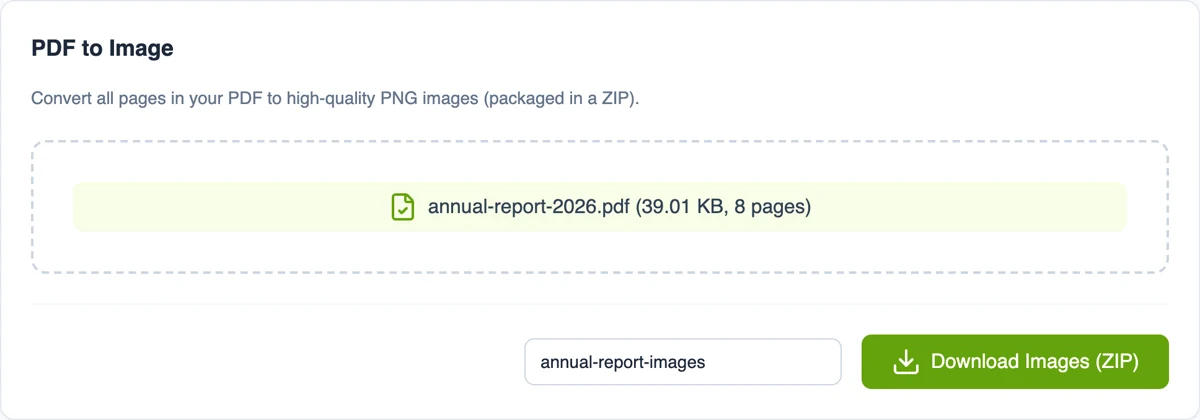
- Click Convert to render every page to a high-resolution PNG.
- Download all the images bundled in a single ZIP file.
Why convert PDF to images with Moriaki?
Whether you need page images for a presentation, a website, or social media, most converters upload your PDF first. Moriaki renders the pages locally in your browser, so your document never leaves your computer.
Pages are exported at high resolution (2x scale) as crisp PNG files, packaged into one ZIP — with no watermark and no page cap.
What you get
Every page of your document is turned into its own image, numbered in order (page_1, page_2 and so on) and bundled into one ZIP download. Open the ZIP on any computer or phone to get the individual images.
The images are saved as PNG. Unlike JPEG, PNG is lossless, so text, lines and charts stay crisp with no blurry compression marks. PNG images open in browsers, on phones, in presentation software and on social media.
Need JPEG specifically? Most image editors and phone photo apps can save a copy as JPEG in one step.
When turning pages into images helps
Slides and presentations. Drop a page, chart or table straight into a slide as a picture.
Social media. Share a page of a report or a flyer as an image people can see without opening a file.
Websites and blogs. Show a preview of a document on a web page.
Messaging apps. Send a single page as a picture that previews instantly in the chat.
How sharp are the images?
Each page is drawn at twice its normal on-screen size (2x scale), which gives crisp results on high-resolution screens and when zooming in. An A4 page, for example, becomes an image of about 1190 × 1684 pixels. Read more about image resolution.
Because each image is a picture of the page, its text can’t be selected or searched. Keep the original document if you need to copy text later.
Private by design
Reports, statements and contracts often contain details you wouldn’t want on someone else’s server. Here, every page is drawn inside your browser on your own device, so the document is never sent anywhere. Once the page has loaded, it even keeps working without an internet connection.
Read how that works in How Moriaki PDF Works, or why it matters in The Hidden Dangers of Free Online Utilities.
Good to know
Every page is converted. To convert only some of them, take those out first with Extract, then convert the result.
Name the ZIP. Type a name in the filename box before downloading. Otherwise the original file name is used.
Long documents take a little longer. Each page is drawn on your device one by one, so a long report may take a few seconds.
Going the other way? To turn pictures into a document, use Image to PDF.
Turning pages into images is handy in more places than you might expect. A single page saved as a picture can be dropped straight into a slide deck, posted on social media, added to a website, or sent in a chat app that can’t preview documents. Designers often pull out one page as an image to reuse a chart or illustration, and teachers turn worksheets into pictures for online classes. Since each page becomes its own image, you can keep just the ones you need and leave the rest. Everything is converted on your device, so even confidential pages never pass through anyone else’s server.
Picture quality matters too. A higher resolution keeps small print and fine lines sharp, which is useful for printing or zooming in, while a lower one gives lighter files that load quickly on a website or in a message. If you only need a preview or a thumbnail, a smaller size is usually plenty. For anything you plan to print or edit later, choose the sharper option so the details stay crisp. Because the images are created right in your browser, you can try both settings, compare the results side by side, and keep whichever looks best without waiting for an upload.
Frequently asked questions
Is converting PDF to JPG free?
Yes — free, with no account, no limits, and no watermark on the images.
Is my PDF uploaded?
No. The conversion runs entirely in your browser; your file is never sent to a server.
What image format do I get?
High-resolution PNG images — one per page — bundled together in a ZIP download.
Will the images be high quality?
Yes. Pages are rendered at 2x scale for sharp, high-DPI output.
Can I convert images back into a PDF?
Yes — use the Image to PDF tool to combine JPG or PNG files into a single PDF.
Can I convert just one page?
Take that page out first with Extract, then convert the new file.
Why PNG instead of JPEG?
PNG keeps text and lines perfectly sharp, which matters for documents. If you need JPEG, any image editor can save a copy in that format.
Can I open the ZIP on my phone?
Yes. The Files app on iPhone and most Android file managers open ZIP files.